Table of Contents
- Why School Security Camera Upgrades Require a Real Budget Plan
- The True Cost of School Security Camera Installation
- School Safety Grant Application Tips for Camera Funding
- Building a Security Camera Maintenance Budget That Lasts
- Phased Implementation: How to Upgrade Without Breaking the Budget
- Integrating New Cameras with Legacy Systems and Cybersecurity Insurance
- Vendor Negotiation and RFP Best Practices for School Camera Projects
- Planning for Long-Term Scalability and Compliance
- Frequently Asked Questions
Last Updated: October 4, 2026
Why School Security Camera Upgrades Require a Real Budget Plan
Budgeting for school security camera upgrades is the process of mapping every cost, from hardware to maintenance, before you commit a single dollar.
That is where we come in.
Here is the hard part most guides skip: a camera upgrade is not one purchase.
Below, we break down what a school security camera installation actually costs, how to fund it, and how to phase it so the budget survives contact with reality.
The True Cost of School Security Camera Installation
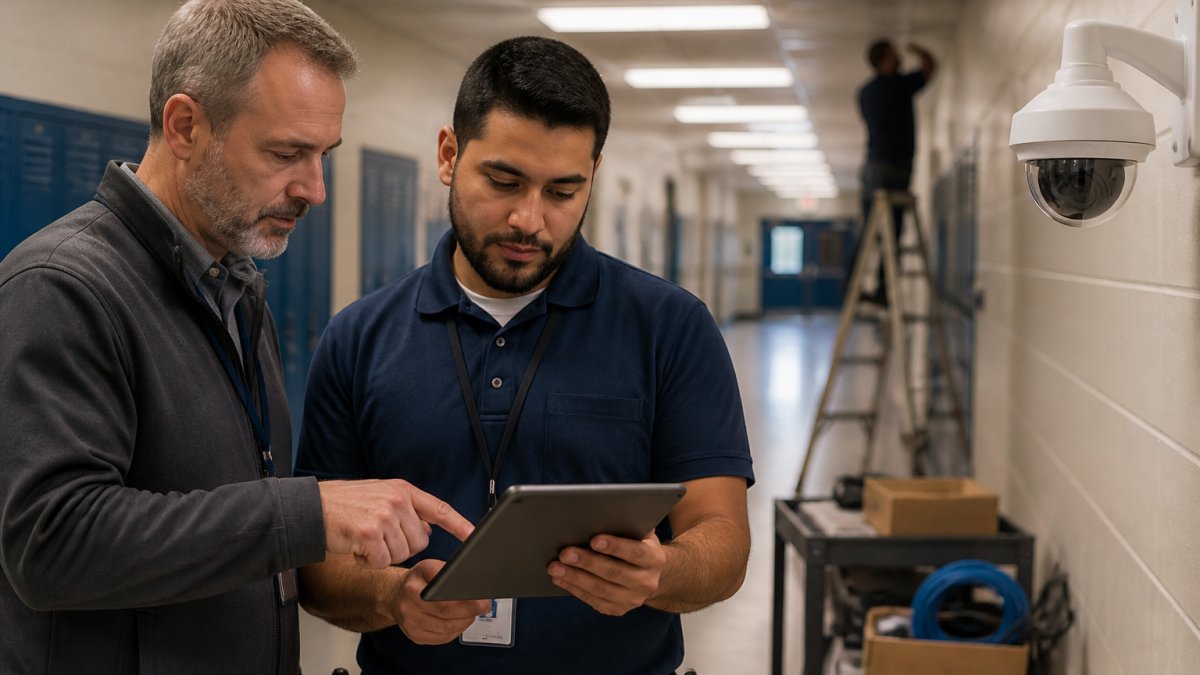
The cost of school security camera installation covers four buckets: hardware, cabling, labor, and software. Hardware gets the attention. Cabling and labor quietly eat the budget.
Hardware, Cabling, and Labor: Where the Money Goes
Most districts price the cameras and forget the wire. That is backwards.
- IP cameras: The visible line item, and the easiest to compare between bids
- Cabling and pathways: Often the largest hidden cost in older buildings
- Labor: Varies widely with ceiling height, wall type, and after-hours work rules
- Network switches and bandwidth: Cameras consume network capacity, and old switches may not keep up
A common mistake is buying cameras before checking whether the network can carry them. Run the site walk first, then buy.
Cloud-Managed vs. On-Premise: CapEx and OpEx Differences
Cloud-managed systems shift spending from capital expenditure to operational expenditure. On-premise systems do the opposite.
|
Factor |
Cloud-Managed |
On-Premise |
|---|---|---|
|
Upfront cost |
Lower |
Higher |
|
Ongoing cost |
Monthly subscription |
Servers, storage, staff time |
|
Data storage |
Vendor-hosted |
On-site recorders |
|
Scalability |
Easy to add cameras |
Requires new hardware |
|
Maintenance |
Vendor handles updates |
District handles updates |
Cloud-managed wins for districts that want predictable monthly costs. On-premise wins when a district has strong IT staff and wants full control of its data.
School Safety Grant Application Tips for Camera Funding
School safety grant application tips start with one rule: match the grant to the project, not the project to the grant. Reviewers can tell when a proposal is reverse-engineered.
Federal Grants, State Programs, and Bond Proposals
Funding usually comes from three places. Each has a different timeline and a different level of competition.
- Federal grants: Competitive, with strict reporting requirements
- State safety programs: Often smaller but faster to award
- Bond proposals: Voter-approved, best for large multi-year projects
Grant amounts and eligibility rules change often. Check the official program page for current figures before you build a budget around them. A U.S. Department of Education school safety resources is a good starting point for federal programs.
Building a Security Camera Maintenance Budget That Lasts
A security camera maintenance budget is the recurring cost line most districts forget. Cameras are not a one-time purchase. They age, fail, and fall out of compliance, and the money to keep them running has to come from somewhere other than the original capital project.
A useful rule of thumb: plan on roughly 8 to 12 percent of the original hardware cost per year for maintenance and software. A $60,000 camera refresh, in other words, carries a $5,000 to $7,000 annual tail.
Recurring Costs: Software Licensing, Firmware Updates, and Service Agreements
Plan for these every year:
- Software licensing: Video management software (VMS) often runs on a per-camera subscription. A 60-camera system at a few dollars per camera per month is a real annual line, not a rounding error.
- Firmware updates: Camera vendors publish security patches on their own schedules. Skipping them creates exploitable gaps, and some districts now require documented patch cadence in their network policies.
- Service agreements: Cover cleaning, realignment, failed units, and lens fogging. A camera pointed at a wall after a summer HVAC project is a camera doing nothing.
- Storage growth: Retention rules drive storage. Moving from 30-day to 90-day retention roughly triples the storage footprint, whether that storage is on-site or in a cloud tier.
- Network and power: PoE switches, UPS batteries, and surge protection all have service lives shorter than the cameras themselves.
Lifecycle Management: When to Repair and When to Replace
Cameras do not fail all at once. They degrade. A useful lifecycle plan separates three tiers:
- Years 1-3: Warranty period. Track failures and file claims. Do not pay for service you already own.
- Years 4-6: Out-of-warranty repairs. A failed unit is usually cheaper to replace than to repair, but a failed cable run is almost always cheaper to repair than to re-pull.
- Years 7-10: End of useful life. Firmware support dries up, resolution falls behind, and integration with newer VMS versions gets harder. This is when a phased replacement cycle starts paying off.
A common pattern is to replace roughly one-fifth to one-quarter of the camera fleet every year once the oldest units cross year seven. That spreads the capital hit and keeps the fleet from aging into a single, unaffordable cliff.
Phased Implementation: How to Upgrade Without Breaking the Budget
Phased implementation means upgrading in stages instead of replacing everything at once. It spreads cost across budget cycles and keeps the campus covered during the transition. This is the single biggest gap in most school camera plans.
A workable sequence:
- Phase 1: Fix cabling and network capacity in the highest-risk areas
- Phase 2: Install cameras at main entries and offices
- Phase 3: Expand to hallways, gyms, and parking lots
- Phase 4: Add AI analytics and access control integration
Each phase stands alone. If funding pauses, the campus still has working coverage.
Integrating New Cameras with Legacy Systems and Cybersecurity Insurance
Integration with legacy systems is where phased projects either succeed or stall. New IP cameras rarely talk to old recorders without a bridge.
Plan for system integration early. Ask your vendor how new cameras will feed existing video management software, and whether old cabling can carry the load.
Then check your cybersecurity insurance. Many policies now ask how networked devices are secured. Poorly secured cameras can raise liability costs or void a claim.
Vendor Negotiation and RFP Best Practices for School Camera Projects
Vendor negotiation starts before the RFP goes out. A clear request for proposal gets comparable bids. A vague one gets apples-to-oranges quotes.
Include these in your RFP:
- Required camera resolution and low-light performance
- Cabling and pathway standards
- Network bandwidth and switch requirements
- Warranty length and response time
- Training and closeout documentation
- References from similar school projects
Ask every vendor the same questions. Then compare total cost of ownership, not just the sticker price.
Planning for Long-Term Scalability and Compliance
Scalability and compliance decide whether today’s system still works in five years. Buy for the campus you will have, not the one you have now, and assume the rules you operate under will tighten, not loosen.
Compliance: Retention, Access, and Student Privacy
Schools handle sensitive footage and student data, so retention rules and access controls are not optional. The practical compliance questions to answer before you finalize a design:
- How long must footage be retained? Retention windows vary by state and by incident type. Some districts keep 30 days; others keep a full school year. Longer retention means more storage, and storage is a recurring cost.
- Who can view footage, and under what circumstances? Access logs matter. A system that cannot produce an audit trail of who watched what is a liability during a records request or a lawsuit.
- Where does video live? Cloud-hosted footage crosses state lines and may fall under different disclosure rules than on-premise storage. Know which model your district’s legal counsel has approved.
- How are networked devices secured? The Cybersecurity and Infrastructure Security Agency publishes guidance on securing internet-connected devices, and many districts now reference it in camera specifications. Cybersecurity and Infrastructure Security Agency
Check current requirements with your state and district before finalizing a design. Compliance rules change, and a system built to last year’s standard may not pass next year’s review.
Scalability: Designing for the Cameras You Have Not Bought Yet
Scalability is not just “leave room.” It is a set of concrete design decisions:
- Extra switch ports: Size PoE switches with at least 20 percent spare capacity. Adding a switch later costs more than buying a larger one now.
- Storage headroom: Size recorders and cloud tiers for the retention window you expect in three years, not the one you have today.
- Software licensing that scales: Confirm the VMS license model before you buy. Per-camera subscriptions scale smoothly; per-server licenses can force an expensive upgrade when you cross a threshold.
- Open standards: Cameras and recorders that support ONVIF or similar standards are easier to mix, match, and replace without ripping out the whole system.
- Bandwidth planning: More cameras and higher resolution mean more network traffic. A network that works for 20 cameras may not carry 60.
A system that cannot scale becomes technical debt. And technical debt is expensive to unwind, often more expensive than the original install, because the replacement has to work around the old design instead of starting clean.
Frequently Asked Questions
How much does it cost to install security cameras in a school?
The cost of school security camera installation depends on the number of cameras, building size, cabling requirements, and whether you choose cloud-managed or on-premise storage. A basic single-building setup costs significantly less than a multi-campus district deployment with fiber backbone and access control integration. Pricing also varies based on whether existing infrastructure can be reused. For an accurate estimate, request a free site walk so a qualified vendor can assess your specific facility and provide a detailed quote.
What federal grants are available for school security camera upgrades?
Several federal programs support school safety upgrades, including ESSER funds (where still applicable), COPS School Violence Prevention grants, and Department of Justice school safety grants. State-level bond proposals and safety allotments often supplement these. Grant applications require clear documentation of need, a detailed project scope, and alignment with the grant’s safety objectives. Work with your district’s grant writer or a vendor experienced in school safety grant application tips to strengthen your submission and avoid common compliance pitfalls.
What are the hidden costs of school security camera systems?
Beyond hardware and installation, schools often overlook network bandwidth upgrades, data storage expansion, software licensing renewals, firmware updates, and ongoing maintenance agreements. Cybersecurity insurance premiums may also rise if new IP cameras are not properly secured. Training staff on the video management software and budgeting for system downtime during emergencies are additional considerations. A total cost of ownership approach that includes these recurring costs prevents budget surprises in year two and beyond.
What is the difference between cloud-based and on-premise security camera costs?
Cloud-managed systems typically involve lower upfront capital expenditure but higher operational expenditure through monthly subscription fees for storage and software. On-premise systems require a larger initial investment in servers and storage hardware but may have lower recurring costs. The right choice depends on your district’s IT capacity, bandwidth availability, and long-term budget structure. Many schools adopt a hybrid approach, keeping critical footage on-site while using cloud analytics for advanced threat detection.
Camera upgrades fail on budget gaps, not on bad cameras. Advanced Commercial Communications helps Oregon schools close those gaps with free site walks, phased installation plans, and structured cabling, fiber, and security camera systems built to fit real budgets. We are veteran-owned and Oregon-based, and we tailor every plan to your facilities. Talk to an expert and get a plan that holds up.